 day
day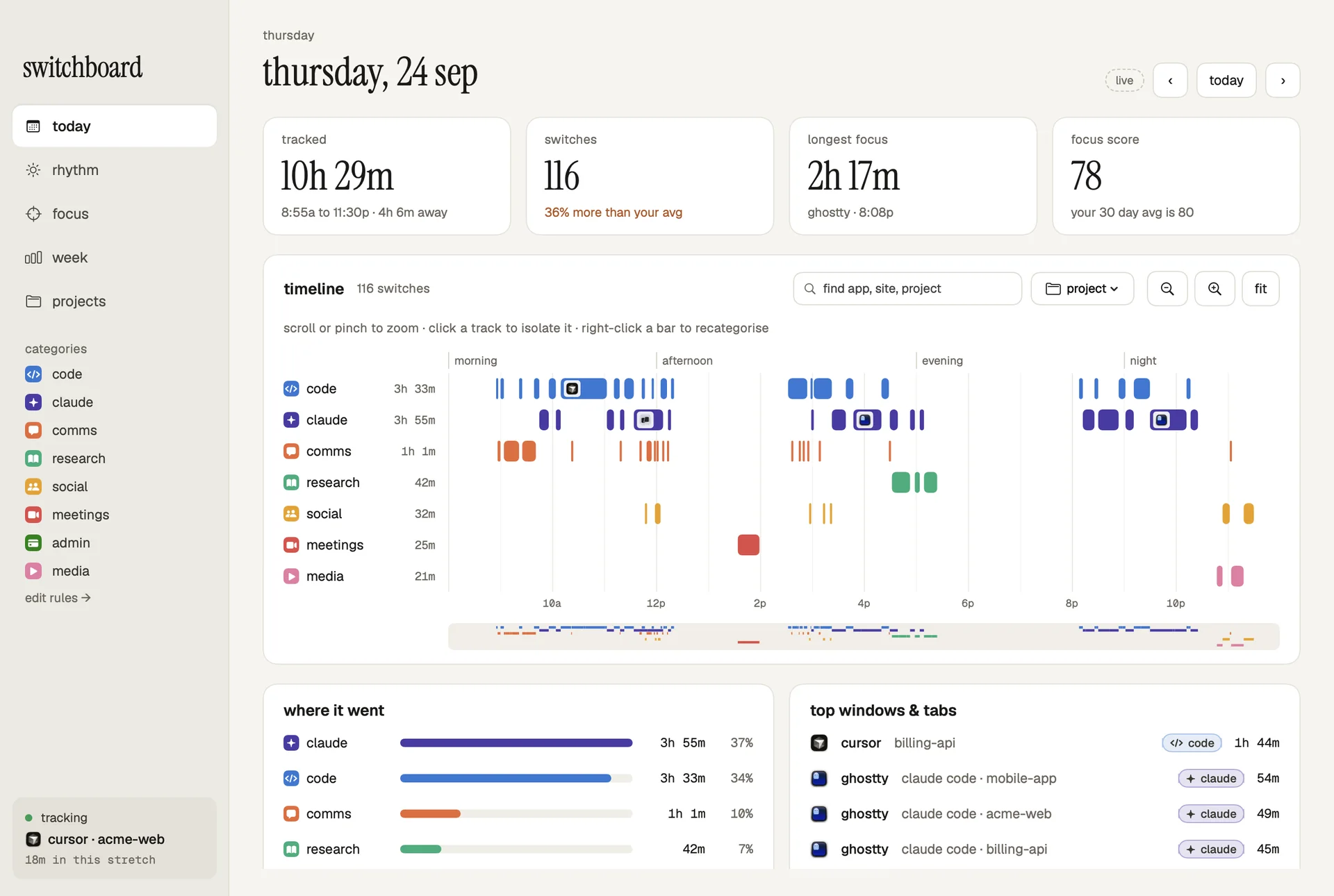
Not just how long. When, and how.
Totals hide the pattern. Switchboard keeps the order of your day, so you can see that mornings go to messages, afternoons get choppy and your best work happens late.
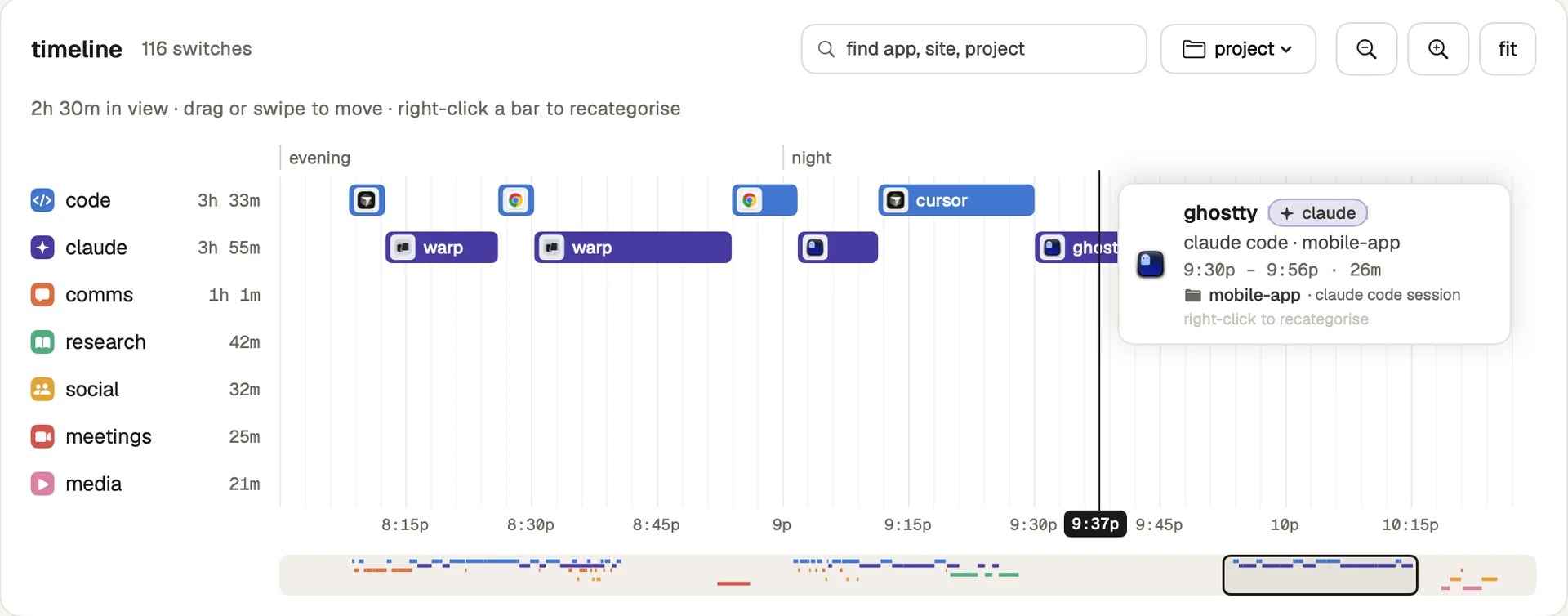
A timeline you can zoom into
Pinch or scroll from the full day down to a few minutes. Hover to see exactly what was open, search for any app or site, and right-click to recategorise.
Nudges, not nagging
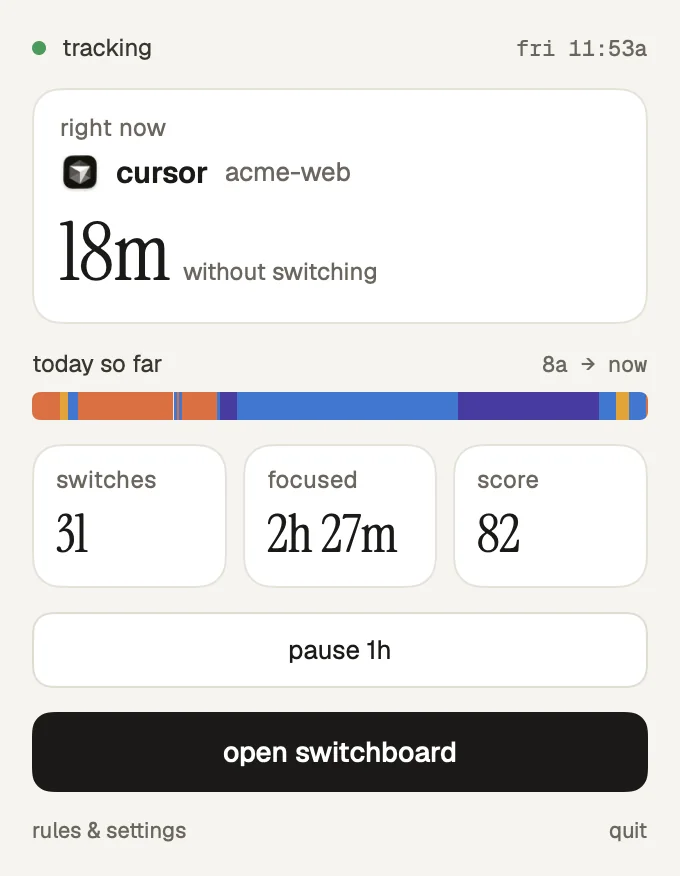
If an hour gets scattered, you get one quiet note naming the two apps you keep bouncing between.
Knows your projects
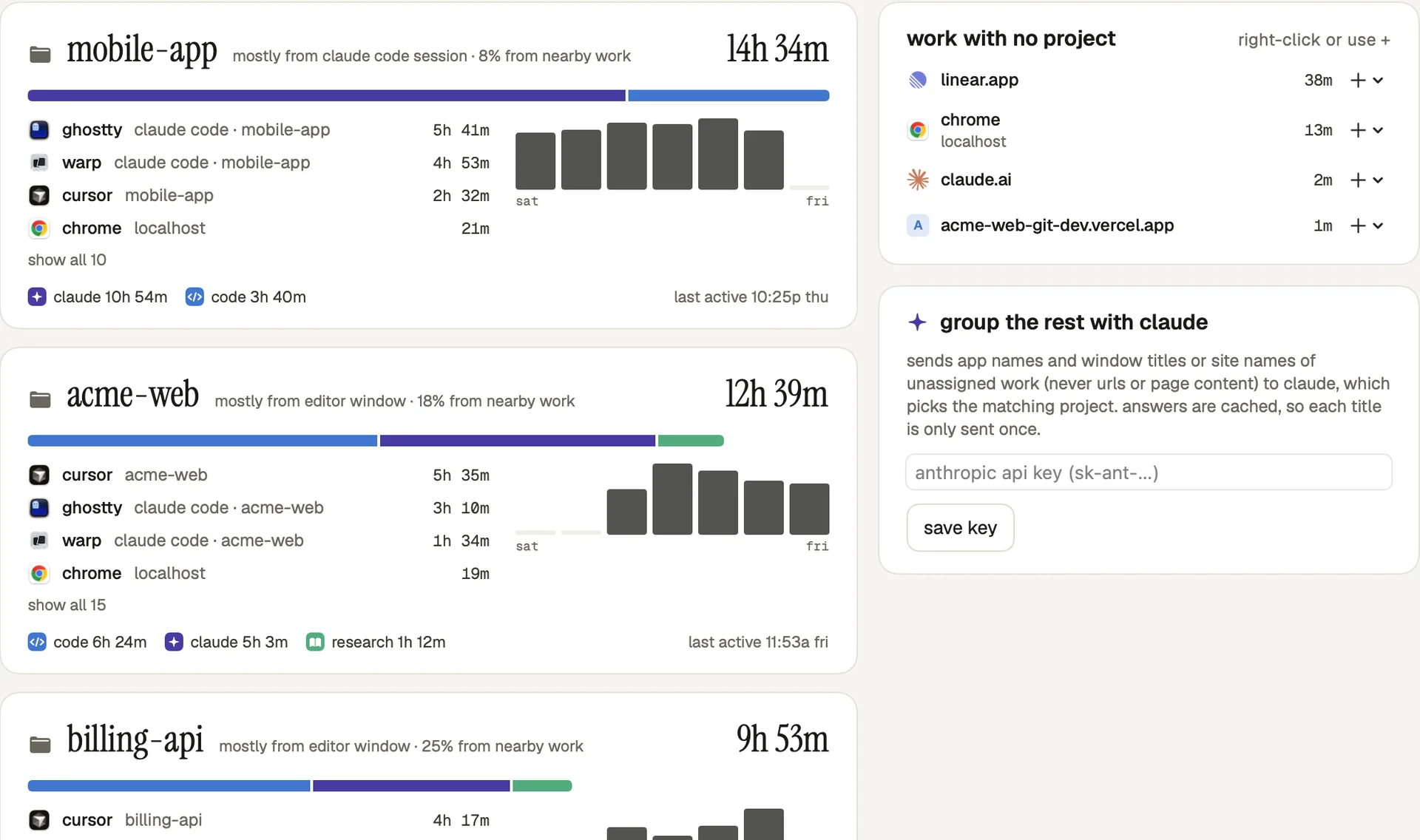
Terminal, editor, GitHub and the preview you had open all count toward the same project. It even picks up AI coding sessions.
mobile-app, this week
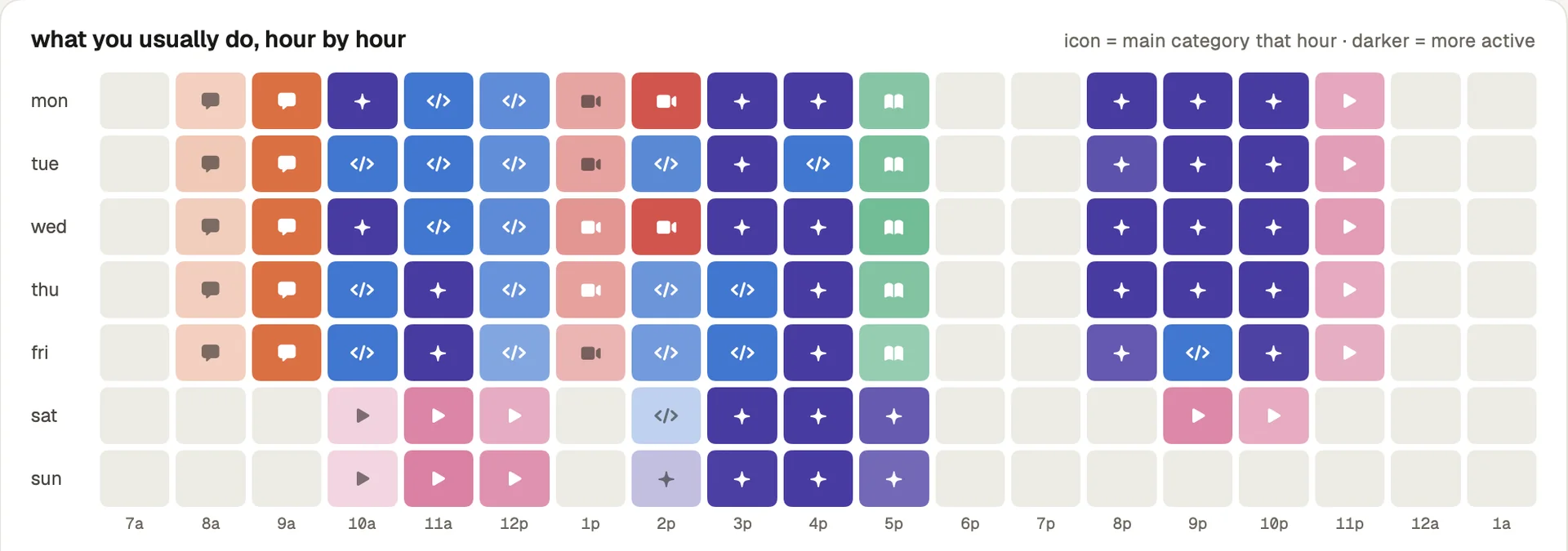
Your rhythm, hour by hour
A month folded into one week. Every cell has an icon as well as a color, and you can filter down to a single category.
Useful from day one
On first launch it reads the month of app history your Mac already keeps, so the rhythm view works right away.
Categories you control
Hundreds of apps and sites are sorted out of the box, with real logos. Anything else takes one right-click.
Focus score
One number a day that weighs deep work against switching. You compare it with your own average, nobody else's.
One project, every app it touched.
The terminal, the editor, the repo, localhost and the docs next to them. Switchboard rolls it all into one line per project and shows you how it decided.
Everything stays on your Mac.
No account, no sync, no analytics. Your history is a small file in your Library folder that you can delete whenever you like.
Questions
What does it need permission for?
Three, each asked for separately with a preview of what it unlocks, and each one skippable. Accessibility lets it read the title of the window in front. Automation lets it read the address of the active tab in Chrome, Arc, Brave or Safari. Full Disk Access is used once, to import the history your Mac already keeps.
How is it different from Screen Time?
Screen Time adds up hours per app. Switchboard keeps the sequence: every switch and every tab, in order. That's what lets it show your day by the hour, the apps you bounce between, your longest focus stretches and projects that span several apps.
Does it slow my Mac down?
No. It checks what's in front every couple of seconds and only writes when something changes. A month of history takes up a few megabytes.
Which Macs does it run on?
Any Mac on macOS 14 Sonoma or later, Apple silicon or Intel.
How do I remove it and my data?
Quit it from the menu bar, move it to the Trash, then delete the folder ~/Library/Application Support/Switchboard.